Trace explorer
The trace explorer narrows project traffic to the operations worth opening. Start with a time range, then combine search, facets, identifiers, and table controls.
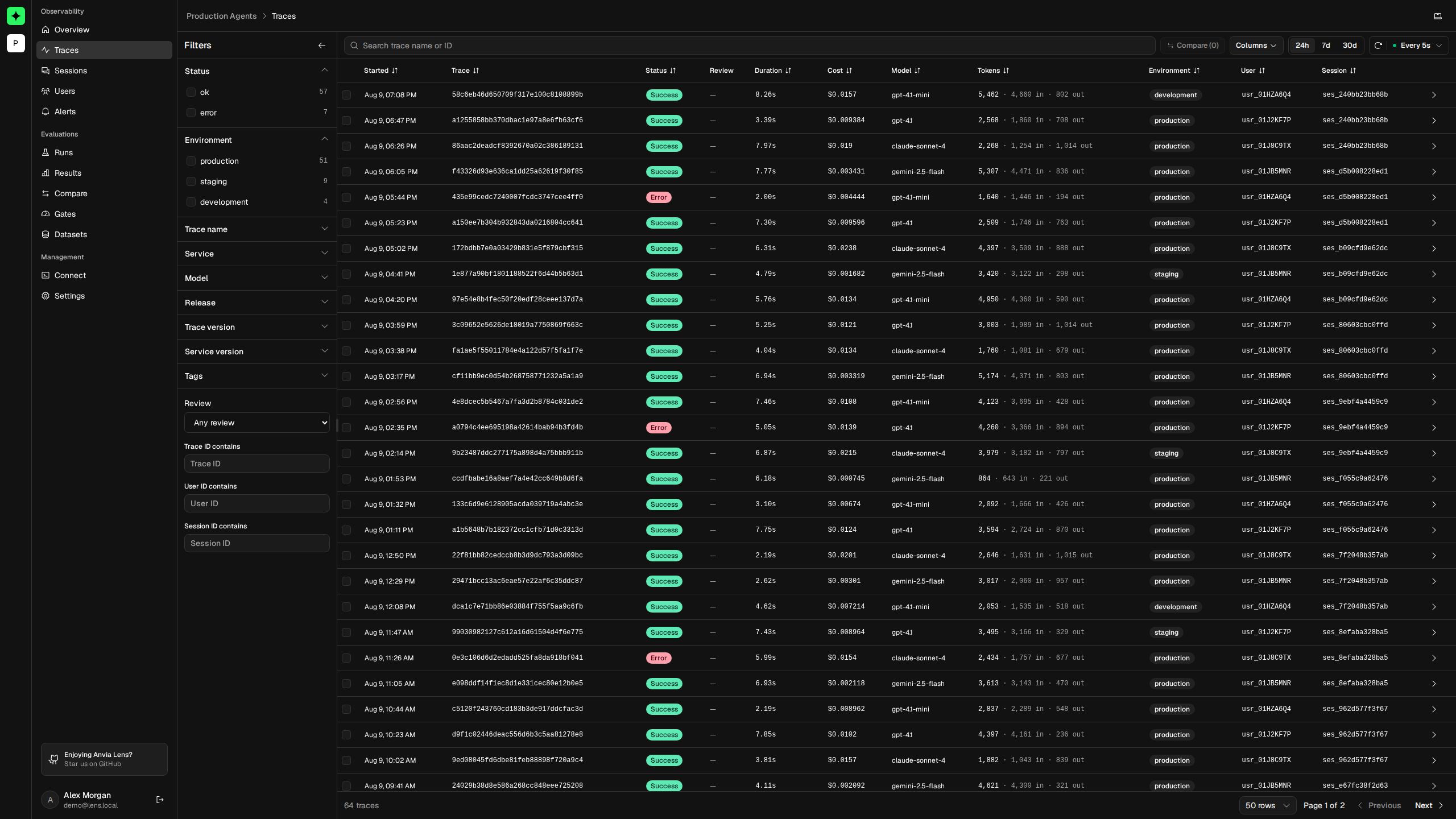
Search and filter
Search matches a trace name or full trace ID. The filter panel can combine:
- status, environment, trace name, service, model, and release;
- trace version, service version, and tags;
- human review state: unreviewed, pass, or fail;
- partial trace, user, or session ID values.
Facet counts are recalculated for the current query. Selecting several values in one facet includes any of those values; adding a different facet narrows the result further. For example, Environment: production or staging plus Status: error returns failed traces from either environment.
Choose a preset range before interpreting the counts. Use manual refresh or a live refresh interval when verifying newly ingested telemetry.
Read and arrange the table
Use Columns to show the fields relevant to the investigation, including identifiers, context, status, duration, tokens, cost, and review. Sortable headings can surface the newest, slowest, largest, or most expensive traces. Pagination controls change the result page and row count.
Trace IDs are shown in full so you can correlate a row with application logs or another OpenTelemetry backend.
Open or compare traces
Select a row to open Trace details. To compare individual runs, select between two and four rows and choose Compare. Lens limits selection to four traces so every trace remains usable in the comparison grid.
Use comparison for questions such as:
- Why was one request slower than another?
- Did a failing run call a different tool or model?
- Which span accounts for a token or cost difference?
If no results appear
Clear active filters, widen the range, and refresh. If the project has never received a trace, verify the connection with Your first trace. Short-lived processes may also need an explicit exporter flush before exit.