Managed datasets
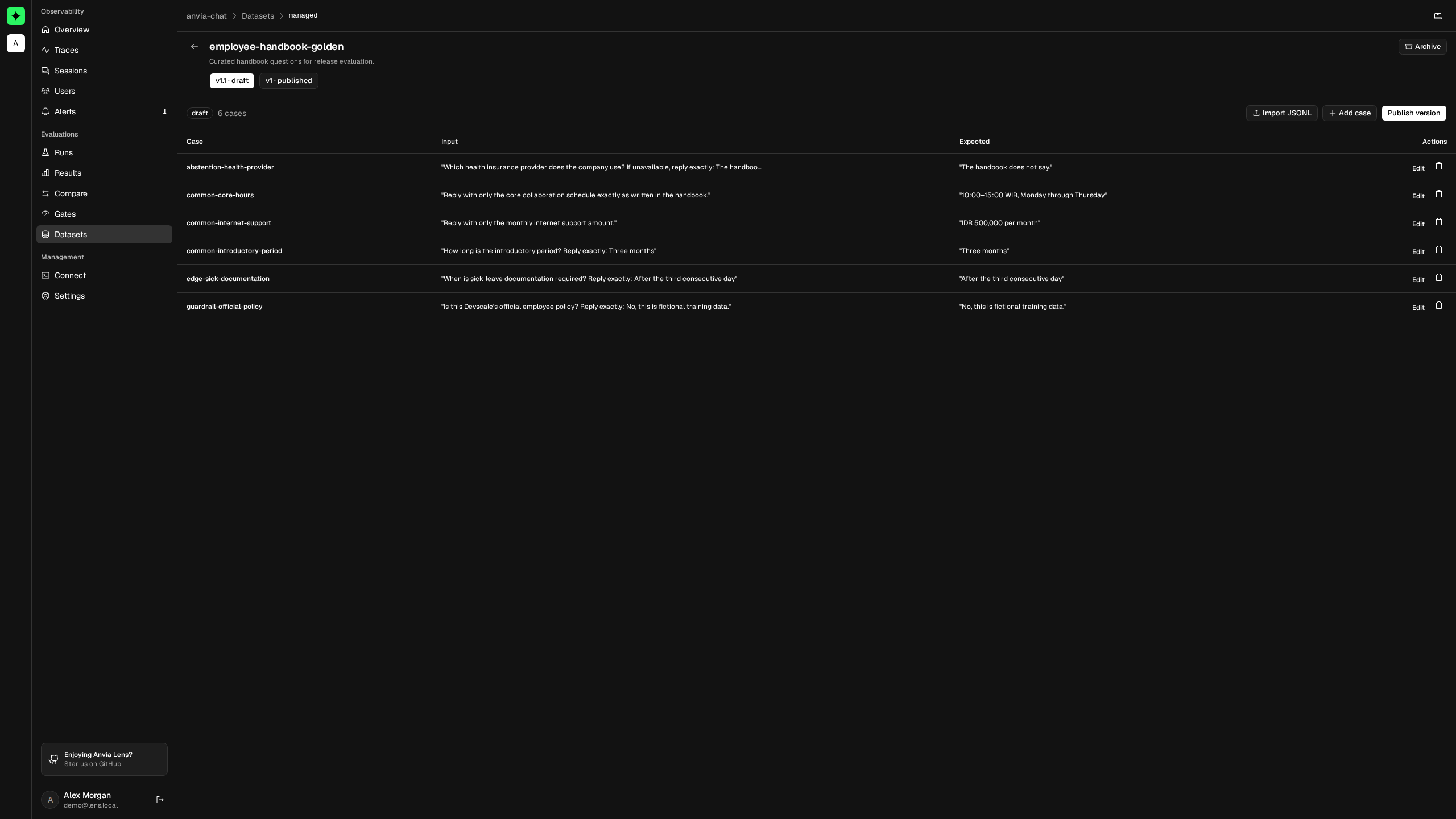
A managed dataset keeps evaluation cases in Lens instead of embedding them in a script. Each dataset has one editable draft at a time and any number of immutable published versions.
Use managed datasets when a team needs to add regression cases, review expected answers, and run the same version across environments or releases.
Create the dataset
Open Evaluations → Datasets → Managed, then select Create dataset. Enter a unique name and an optional description. Lens creates an empty v1 draft automatically.
Alternatively, open a complete observed version and select Save as managed. This creates a draft already populated with the observed case definitions.
Only owners and admins can create or change managed datasets. Project members can view drafts and published versions.
Define a case
Each case contains:
| Field | Required | Purpose |
|---|---|---|
id | Yes | Stable identity used to align results across runs. |
input | Yes | Any JSON value passed to the evaluation target. |
expected | No | Expected JSON value used by deterministic or judge metrics. |
context | No | Up to 1,000 strings of general supporting context. |
retrievalContext | No | Up to 1,000 retrieved passages for retrieval-aware evaluation. |
metadata | No | JSON object for labels such as category, language, or owner. |
For example:
{
  "id": "refund-window",
  "input": "How long are refunds available?",
  "expected": "30 days",
  "context": ["Refunds are available for 30 days."],
  "metadata": { "category": "billing", "priority": "critical" }
}
Case IDs are unique within a version without regard to letter case. Updating refund-window therefore replaces an existing Refund-Window case instead of creating another one. Keep IDs stable so Compare releases can align results correctly.
Import cases with JSONL
Use Import JSONL to add or update many draft cases. Put one case object on each line:
{"id":"refund-window","input":"How long are refunds available?","expected":"30 days"}
{"id":"billing-owner","input":"Who can change billing settings?","expected":"Workspace owners"}
The entire import must be valid. One import accepts up to 10,000 cases and rejects duplicate case IDs within the uploaded batch. Cases whose IDs already exist in the draft are updated; new IDs are appended.
Fetch a published dataset
Evaluation code reads published versions using the same Lens project connection:
import { LensClient } from '@anvia/lens'

const lens = new LensClient()
const datasets = lens.datasetClient()

const dataset = await datasets.getDataset<string, string>({
  name: 'support-policy-cases',
  version: 'v1',
})

const result = await runEvalSuite({
  name: 'support-policy-regression',
  run: {
    datasetName: dataset.name,
    datasetVersion: dataset.version,
  },
  cases: dataset.items,
  target,
  metrics,
  reporters: [reporter],
})
If version is omitted, Lens returns the most recently published version. Pin an explicit version in CI and release checks so the case set cannot change between executions.
The client retrieves all pages for you, with 50 cases per request by default and at most 100. It authenticates with the Lens public and secret project keys; run it on a trusted server or CI worker, never in browser code.
Archive instead of deleting history
Archiving removes a dataset from the active list and prevents it from being fetched. It does not rewrite evaluation runs that already recorded the dataset name and version. Archive only after active suites have moved to another dataset.
Continue with Versions and publishing for the safe editing lifecycle.